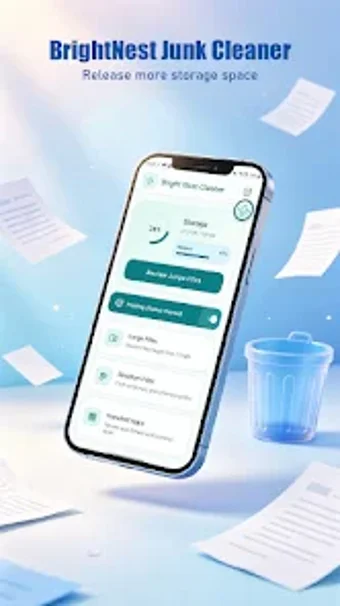
BrightNest Junk Cleaner: lightweight Android storage and app maintenance
Experience BrightNest Junk Cleaner by JOMNJ LLC, a compact Android utility that helps reclaim storage and remove unwanted applications. The app scans for unnecessary files and offers quick app removal to recover space and reduce clutter. It emphasizes simple system maintenance tools and a stripped-back workflow rather than advanced options. Targeted at Android users who prefer straightforward device upkeep, it aims to simplify routine storage management without technical setup.
Does it slow down your device during a cleanup?
The app is presented as a streamlined, lightweight utility assembled into a single package, which reduces the need for constant background services. Compatibility with Android 4.4 and later shows the developer targets older hardware as well as newer devices, so installer size and basic operations prioritize modest resource use. For routine scans and occasional cleanups the design implies brief, discrete activity rather than continuous system load.
Is it easy to use for non-technical users?
The tool targets casual owners by concentrating on direct actions and minimal choices, avoiding layered configuration menus that require technical knowledge. Basic maintenance tasks can be executed with few steps, which suits users who want fast results. Nevertheless, user feedback mentions occasional navigation difficulties on particular device models, so interaction may vary by handset and some layouts can feel less polished on highly customized firmware.
Is it safe to use given its data and advertising model?
The app may collect or share information such as device location, app activity, and device identifiers for functionality and advertising, and it typically displays advertisements in the interface. Those behaviors create a trade-off between convenience and tracking exposure; reducing permissions or restricting background data limits some telemetry. Users who prioritize minimal data sharing should weigh that trade-off before enabling all permissions or using ad-driven features.
Practical pick for casual upkeep, with a clear privacy trade-off
BrightNest Junk Cleaner suits Android users who want a compact tool for straightforward storage upkeep without technical configuration. Its compact approach makes it convenient for older handsets and quick maintenance sessions. The principal caveat is the ad-supported model and associated data sharing, which introduces privacy trade-offs some users may find unacceptable; test it on your handset before wide use.